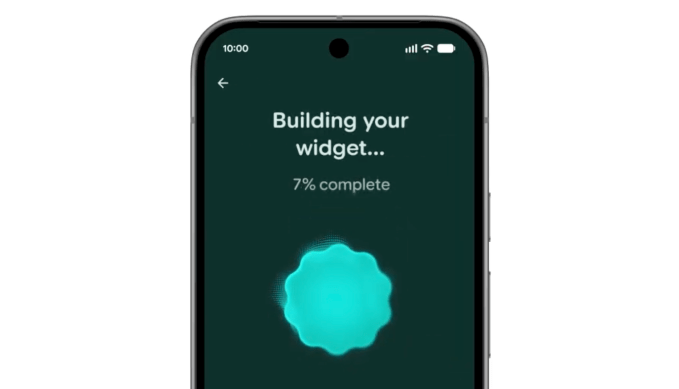









An anti-doomscrolling feature is now built into Android. (Yes, things have gotten that bad.)
On Tuesday, Google announced Pause Point which is designed to keep users from engaging with addictive apps on Android, the mobile operating system that powers Google’s Pixel smartphones, Samsung devices, and others.
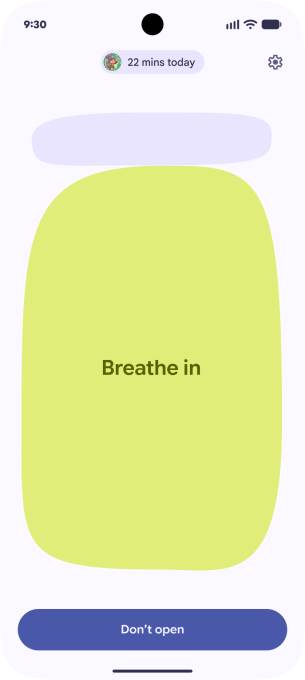
Pause Point works by requiring a 10-second pause after you open any app you’ve labeled for yourself as being a distraction. TikTok, Instagram, X, and even Google’s YouTube could be the kind of apps labeled as “distracting” by Android device owners worried about the power of time-sucking algorithms to eat away at their day.

With the addition, Google isn’t only thinking of users’ well-being, of course.
It’s reacting to increasing regulatory pressure around social media harms and algorithmic dangers. Today, many countries and U.S. states have created laws to restrict or ban minors from using social media, as the impacts of these apps on young people’s mental well-being have become better understood.
Google can now point to a feature like Pause Point to claim it’s part of the solution, not the problem.
“Android is more capable than ever, but we also want to give you the tools to disconnect when you need to,” explained Dieter Bohn, previously Executive Editor at The Verge, now Director of Product Operations for Google’s Platforms & Ecosystems organization, in a press briefing about the Android 17 update.
“I think that we are all guilty of going into our phone and then opening some app and getting stuck on autopilot, and an hour has gone by,” he said.
To date, social media app makers, including YouTube, have turned to the idea of app timers as a way to remind you to take a break or stop scrolling. Pause Point flips that idea on its head, as it interrupts the app’s launch — and the dopamine flood that follows — to force you to stop and rethink whether this is what you actually want to do, or is just a habit you’d like to break.
Google says you could use the time Pause Point enables to do a short breathing exercise or to think about other things you could do instead of scrolling. For instance, the feature can suggest more worthwhile apps, like a favorite fitness app, an audiobook app, the Kindle or Google Play Books app, or others.
You can also choose to scroll through some favorite photos for ideas — perhaps those reminding you of other engaging activities, like outdoor walks, your pets, or arts and crafts.
Plus, Pause Point lets you choose to set an app timer before you dive in, which makes the time you spend in-app feel more intentional at the start. This could work better than a default timer, which is always set for the same length of time, even as the circumstances leading you to take a break from scrolling can vary.

The feature is harder to turn off than traditional app timers, too, many of which can simply be ignored. Instead, Pause Point requires a phone restart to turn it off, Google says, which also makes you think before disabling it.
Pause Point may not be as fun (or adorable) as the screen-time-focused or self-care apps like Finch or Hank Green’s Focus Friend, but it does have the advantage of being built into Android itself, which could help it gain traction.
When you purchase through links in our articles, we may earn a small commission. This doesn’t affect our editorial independence.